Microsoft 365 Personal Box, 1 User, English
- VendorMicrosoft


Description
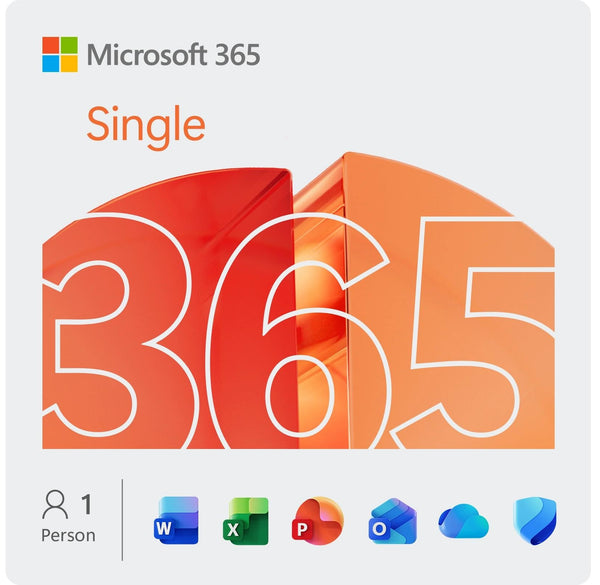
Microsoft 365 Personal Box, 1 User, English
A practical subscription with premium productivity apps, 1 TB of cloud storage, and enhanced security for all your devices
Microsoft 365 Single is the ideal subscription for one person and offers everything you need to organize your life. Whether at home or on the go, you will always stay up to date with the latest versions of trusted Office apps such as Word, Excel, PowerPoint, Outlook, and OneNote on any device. Sync your documents and photos with 1 TB of cloud storage so you can access them anytime, anywhere. OneDrive automatically saves these files on all your devices, including all changes. In addition, your personal vault provides a protected folder with two-step identity verification for your most important files. Whether it is a school project, a pitch presentation, or a newsletter, you can seamlessly collaborate with others at the same time. It is easy to share OneDrive files from your PC or mobile device and allow friends, classmates, or family members to make suggestions and edit the document.
Maximize Your Potential
Get digital security, 1 TB of cloud storage, and innovative apps – all in one plan.
Recommended for Individuals
Ideal for one person to use on multiple PCs, Macs, iPhones, iPads, and Android phones and tablets.
Easily Protect What Matters – with Microsoft 365
With advanced security that is always on guard and works for you, it is easier to be protected online. Protect your valuable photos, important documents, and your family's numerous smartphones, tablets, and computers with easy-to-use tools and features for your digital life.
Improve Content with Smart Suggestions in Microsoft 365
Bring your ideas to life and give them the finishing touches, personality, and style based on the words, images, and topics you provide. The intelligence in Microsoft 365 offers a variety of helpful phrasing, topics, designs, and charts with which you can enhance any project in no time.
Microsoft 365 Works Across Devices
Use your smartphone, laptop, or tablet to share photos and videos faster and collaborate with others – anytime, anywhere. With a familiar environment, integrated support, and accessible features, Microsoft 365 makes it easier to get started and keep track of everything, no matter where you are.
For iOS and Android, the app must be downloaded separately. The Fetch function for OneDrive is only available for Windows 7, 8 (not 8.1), and 10. This software key can be activated at www.office.com/setup. You need a Microsoft account to activate it. After entering the key, it will be linked to your Microsoft account. It is not possible to later unlink the key from the Microsoft account or transfer it to another Microsoft account. Further information can be found at: https://support.office.com/de-de/article/herunterladen-und-installieren-bzw-erneutes-installieren-von-office-365-oder-office-2019-auf-einem-pc-oder-mac-4414eaaf-0478-48be-9c42-23adc4716658?wt.mc_id=msstore_FAQ&ui=de-DE&rs=de-DE&ad=DE
Access (PC only)
Specifications
- Systemvoraussetzungen:
- Windows: Computer und Prozessor: 1.6 GHz oder schneller, 2 Kerne, Betriebssystem: Windows 11, Windows 10, Arbeitsspeicher: 4 GB RAM; 2 GB RAM (32 Bit), Festplatte: 4 GB verfügbarer Speicherplatz, Anzeigen: 1280 x 768 Bildschirmauflösung (32-Bit erfordert Hardwarebeschleunigung für 4K und höher), Grafiken: Die Beschleunigung der Grafikhardware erfordert DirectX 9 oder höher mit WDDM 2.0 oder höher für Windows 10 (oder WDDM 1.3 oder höher für Windows 10 Fall Creators Update). .NET-Version: Für einige Features muss möglicherweise auch .NET 3.5 oder 4.6 und höher installiert sein. Mac: Computer und Prozessor: Intel-Prozessor, Betriebssystem: Eine der drei neuesten Versionen von macOS. Wenn eine neue Hauptversion von macOS veröffentlicht wird, werden macOS und die beiden vorherigen Versionen veröffentlicht. Arbeitsspeicher: 4 GB RAM, Festplatte: 10 GB verfügbarer Speicherplatz; HFS+-Festplattenformat (auch bekannt als Mac OS Extended) oder APFS. Updates benötigen im Laufe der Zeit möglicherweise zusätzlichen Speicher. Anzeigen: 1280 x 800 Bildschirmauflösung. Web-Apps benötigen die gleiche Mindestauflösung wie das Betriebssystem, unter dem sie ausgeführt werden. Apps, die innerhalb von Microsoft Teams ausgeführt werden, halten sich an die Mindestauflösung von Teams. Die Mindestauflösung setzt voraus, dass Zoom, DPI-Einstellungen und Die Textskalierung auf 100% festgelegt sind. Wenn nicht auf 100% festgelegt ist, sollte die Mindestauflösung entsprechend skaliert werden. Grafiken: Keine Grafikanforderungen. .NET-Version: (Nicht anwendbar), Android: Computer und Prozessor: ARM-basierter oder Intel x86-Prozessor, Betriebssystem: Die letzten 4 Hauptversionen von Android, Arbeitsspeicher: 1 GB, Festplatte: (Nicht anwendbar), Anzeigen: (Nicht anwendbar), Grafiken: (Nicht anwendbar), .NET-Version: (Nicht anwendbar), iOS: Computer und Prozessor: Nicht anwendbar, Betriebssystem: Die zwei neuesten Versionen von iOS, Arbeitsspeicher: (Nicht anwendbar), Festplatte: (Nicht anwendbar), Anzeigen: (Nicht anwendbar), Grafiken: (Nicht anwendbar), .NET-Version: (Nicht anwendbar)
- Kundenart:
- Privatkunde
- Installationsumgebung:
- Lokal
- Vertragsdauer:
- 1-Jahresvertrag
- Vertragsmodell:
- Retail
- Produktfamilie:
- Microsoft
- Produktserie:
- 365 Single
- Lizenztyp:
- Subscription Lizenz
- Lizenzdauer:
- 1 Jahr
- Lizenzform:
- Box
- Sprache:
- Englisch
- Bezugsform:
- Miete
- Betriebssystem:
- macOS Sequoia 15.0, macOS Sonoma 14.0, macOS Ventura 13.0, Windows 10, Windows 11
- Software Assurance:
- No SA
Microsoft 365 Personal Box, 1 User, English
- VendorMicrosoft
84.10
Premiumversionen von Word, Excel, PowerPoint, OneDrive und Outlook, plus Publisher und Access (nur für den PC) | Für den Einsatz auf mehreren PCs/Macs, Tablets und Smartphones (einschliesslich Windows, iOS und Android) | Enthält Teams | Nutzen Sie bis zu fünf Geräte gleichzeitig | Inkl. 1 TB Onlinespeicher | Technischer Support von Microsoft-Experten per Chat oder Telefon
Description
Microsoft 365 Personal Box, 1 User, English
A practical subscription with premium productivity apps, 1 TB of cloud storage, and enhanced security for all your devices
Microsoft 365 Single is the ideal subscription for one person and offers everything you need to organize your life. Whether at home or on the go, you will always stay up to date with the latest versions of trusted Office apps such as Word, Excel, PowerPoint, Outlook, and OneNote on any device. Sync your documents and photos with 1 TB of cloud storage so you can access them anytime, anywhere. OneDrive automatically saves these files on all your devices, including all changes. In addition, your personal vault provides a protected folder with two-step identity verification for your most important files. Whether it is a school project, a pitch presentation, or a newsletter, you can seamlessly collaborate with others at the same time. It is easy to share OneDrive files from your PC or mobile device and allow friends, classmates, or family members to make suggestions and edit the document.
Maximize Your Potential
Get digital security, 1 TB of cloud storage, and innovative apps – all in one plan.
Recommended for Individuals
Ideal for one person to use on multiple PCs, Macs, iPhones, iPads, and Android phones and tablets.
Easily Protect What Matters – with Microsoft 365
With advanced security that is always on guard and works for you, it is easier to be protected online. Protect your valuable photos, important documents, and your family's numerous smartphones, tablets, and computers with easy-to-use tools and features for your digital life.
Improve Content with Smart Suggestions in Microsoft 365
Bring your ideas to life and give them the finishing touches, personality, and style based on the words, images, and topics you provide. The intelligence in Microsoft 365 offers a variety of helpful phrasing, topics, designs, and charts with which you can enhance any project in no time.
Microsoft 365 Works Across Devices
Use your smartphone, laptop, or tablet to share photos and videos faster and collaborate with others – anytime, anywhere. With a familiar environment, integrated support, and accessible features, Microsoft 365 makes it easier to get started and keep track of everything, no matter where you are.
For iOS and Android, the app must be downloaded separately. The Fetch function for OneDrive is only available for Windows 7, 8 (not 8.1), and 10. This software key can be activated at www.office.com/setup. You need a Microsoft account to activate it. After entering the key, it will be linked to your Microsoft account. It is not possible to later unlink the key from the Microsoft account or transfer it to another Microsoft account. Further information can be found at: https://support.office.com/de-de/article/herunterladen-und-installieren-bzw-erneutes-installieren-von-office-365-oder-office-2019-auf-einem-pc-oder-mac-4414eaaf-0478-48be-9c42-23adc4716658?wt.mc_id=msstore_FAQ&ui=de-DE&rs=de-DE&ad=DE
Access (PC only)